
How to Turn a Photo into a Coloring Page
You don't need drawing skills or expensive software to make a personalized coloring page. With a free AI converter, any clear photo — your dog, your kids, a favorite vacation snapshot — becomes clean, printable line art in under a minute. This guide walks you through the whole process: picking the right photo, converting it, and printing a page that actually looks good on paper.
The 30-Second Version
- 1Upload a clear photo — PNG, JPG, or WebP, up to 10MB.
- 2Let the AI trace clean outlines. Most conversions take 30 to 45 seconds.
- 3Download the high-resolution PNG and print it on A4 or Letter paper.
Step 0: Start with the Right Photo
The AI traces what it sees, so the quality of your coloring page depends mostly on the photo you choose. A few minutes spent picking the right picture saves you from disappointing results. Here's what works best:
One clear subject
A single person, pet, or object fills the frame better than a group shot. The AI focuses on the main subject, so make it obvious which one that is.
Even, natural lighting
Photos taken in daylight or a well-lit room produce smoother lines. Harsh shadows and backlight can turn into unintended dark patches in the line art.
Good contrast
A subject that stands out from the background converts cleanly. A white cat on a white sofa will produce faint, muddy outlines.
Simple background
Busy backgrounds — cluttered rooms, crowds, patterned wallpaper — add noise to the line art. Plain walls, grass, or sky work far better.
Close-up and sharp
Fill the frame with your subject and make sure the photo is in focus. Blurry or distant shots lose the details that make a coloring page fun to color.
Turn a Photo into a Coloring Page in 3 Steps
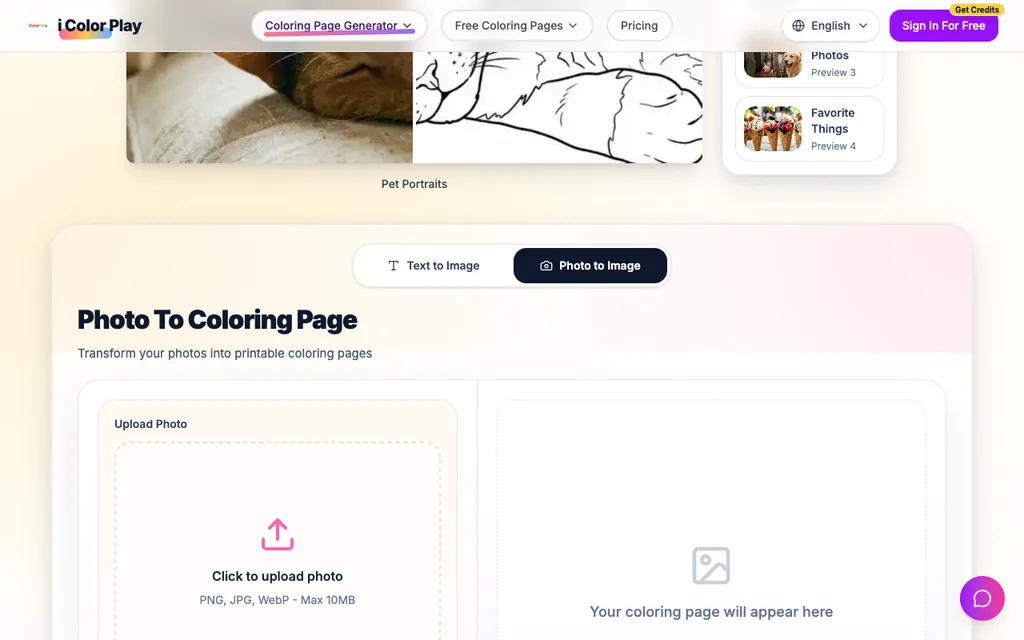
Here's the whole process from start to finish. It works on any phone, tablet, or computer — everything runs in your browser, no app to install.
- 1
Upload your photo
Open the photo to coloring page converter and click the upload area. Pick any PNG, JPG, or WebP image up to 10MB from your device. Portraits, pets, family photos, and favorite objects all work.
- 2
Let the AI draw the lines
Click generate and the AI detects the main subject in your photo, traces clean outlines, and removes the background noise. Most conversions finish in 30 to 45 seconds — complex photos with lots of detail can take a little longer.
- 3
Download and print
Preview the result, then download it as a high-resolution PNG. Print it on A4 or Letter paper with any home printer, and it's ready for pencils, crayons, or markers.
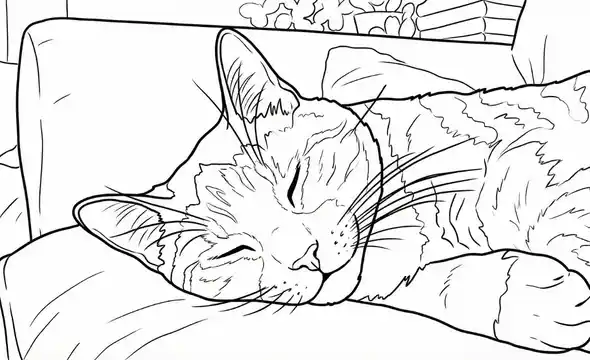
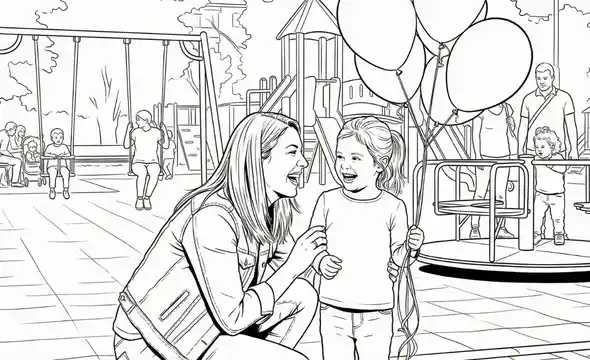
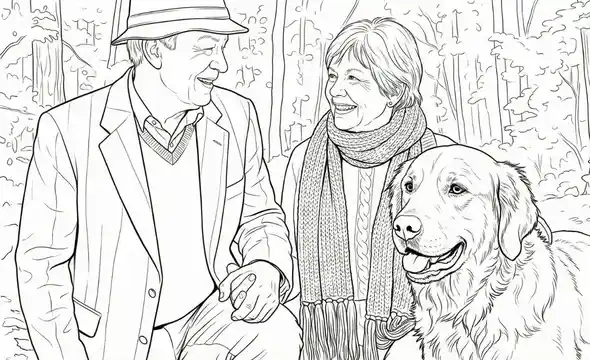
Real Examples: From Photo to Coloring Page
These are real conversions made with the tool — original photo on the left, AI-generated coloring page on the right.



Tips for Cleaner Line Art
If your first result isn't quite what you hoped, small changes to the photo make a big difference:
Crop before you upload
Cut out distracting edges so the subject fills most of the frame. Cropping is the single most effective fix for noisy results.
Brighten dark photos
Use your phone's built-in editor to lift shadows before converting. The AI finds outlines more reliably in a bright image.
For faces, go front-facing
Portraits looking at the camera with a relaxed expression produce the most recognizable coloring pages. Side profiles work, but fine facial detail is harder to trace.
Try a different photo
Some pictures simply convert better than others. If the lines look broken or patchy, pick another shot of the same subject rather than fighting a difficult photo.
Printing Your Coloring Page
The downloaded PNG is sized for standard home printing. For the best experience:
- Use plain A4 or Letter paper. Slightly heavier paper (around 120 gsm) holds up better to markers and watercolor pencils.
- Print at 100% scale in black and white — the line art is already pure black on white, so no color ink is needed.
- Print several copies at once. Kids love comparing different ways to color the same page, and it costs nothing extra.
Frequently Asked Questions
Is it free to turn a photo into a coloring page?
New users get free credits to try the converter, and each conversion costs 2 credits. If you plan to convert photos regularly, credit packs and subscription plans are available.
What photo formats can I upload?
PNG, JPG, and WebP images up to 10MB are supported. Photos with a clear subject and good contrast produce the cleanest line art.
How long does the conversion take?
Most photos convert in 30 to 45 seconds. Very detailed images can take a little longer while the AI refines the outlines.
Can I print the coloring page at home?
Yes. Every result downloads as a high-resolution PNG sized for A4 or Letter paper, so any home or office printer can handle it.
Why did my photo produce messy or broken lines?
The most common causes are a blurry photo, low contrast between subject and background, or a cluttered background. Crop tighter, brighten the image, or pick a photo with a plainer background and convert again.
Can I use my coloring pages commercially?
Pages generated from your own photos are free for personal and educational use. For commercial projects like KDP coloring books or Etsy downloads, see the Pro License options on the pricing page.
Keep Creating
Create Coloring Pages from Text
No photo? Describe any idea in words and the AI draws original line art for you.
Free Printable Coloring Pages
Browse hundreds of ready-made pages by theme and download them instantly.
Make a Coloring Greeting Card
Turn your line art into a printable folded card for birthdays and holidays.
Turn Your Favorite Photo into a Coloring Page
Pick a photo you love and see it as line art in under a minute. Free to try — no sign-up required to start.
Convert a Photo Now